



Cart







How does PayPal work?
PayPal
Express Checkout
Pay securely — no PayPal account required
We offer PayPal Express Checkout to make payment fast, safe, and flexible. You can pay with your credit or debit card as a guest — you do not need a PayPal account and you never need to create one.
🔒
Bank-level security
PayPal uses 256-bit encryption to protect your card details throughout the transaction.
🚫
No account needed
Simply pay as a guest with your Visa, Mastercard, or other major card. No signup, no password.
🛡
Your card stays private
Allfasteners never sees or stores your card number — payment is handled entirely by PayPal.
How it works — step by step
1
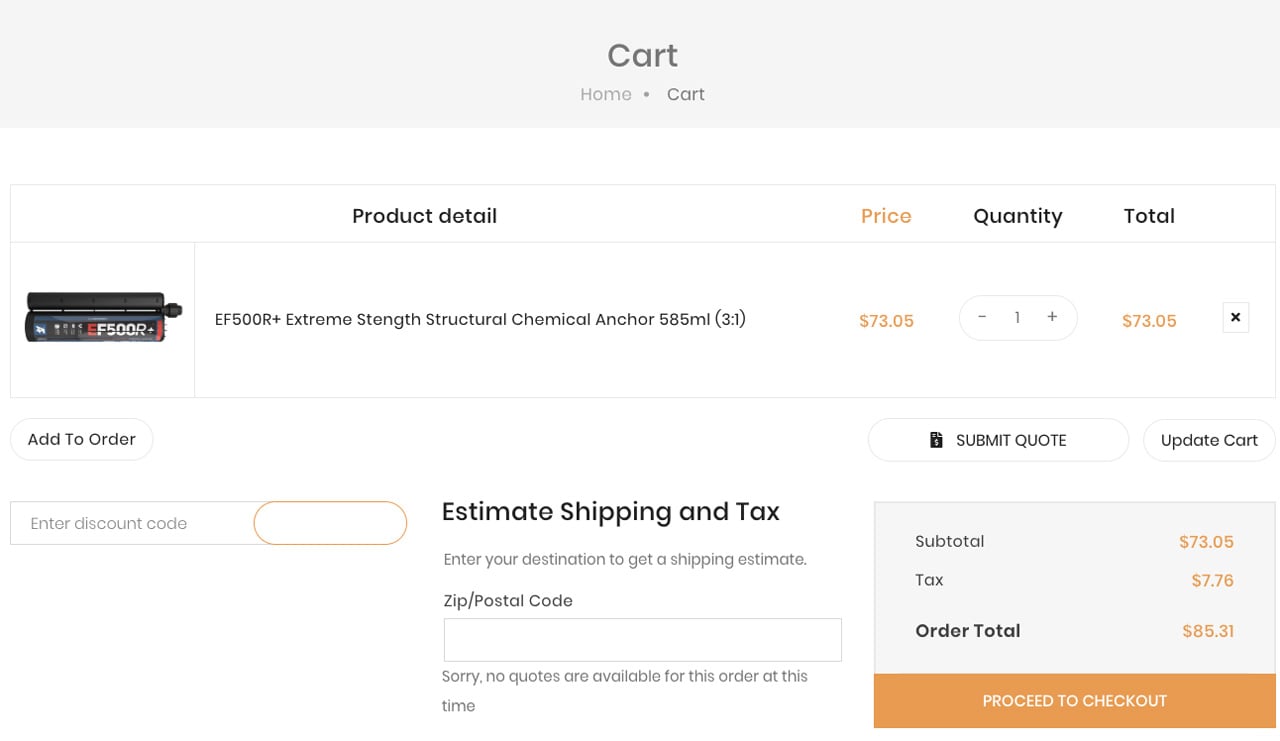
Review your cart and proceed to checkout
When you're ready to order, click Proceed to Checkout from your shopping cart. Your items, quantities, and totals are shown for your review.
2
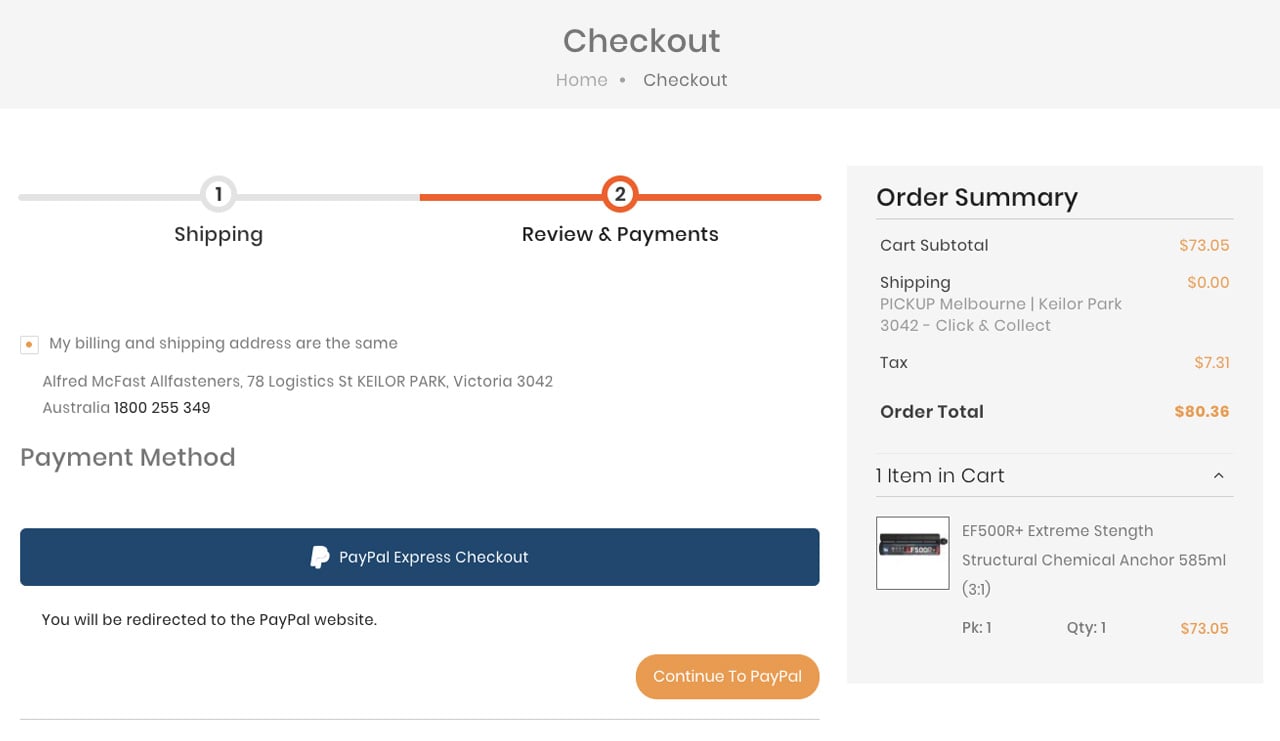
Choose PayPal as your payment method
On the Payment Method step, select PayPal Express Checkout from the available options and click Continue.
3
You're transferred to PayPal's secure site
You'll leave Allfasteners and land on PayPal's own website. Look for the padlock and paypal.com in your browser address bar — this confirms you're on the real PayPal site.
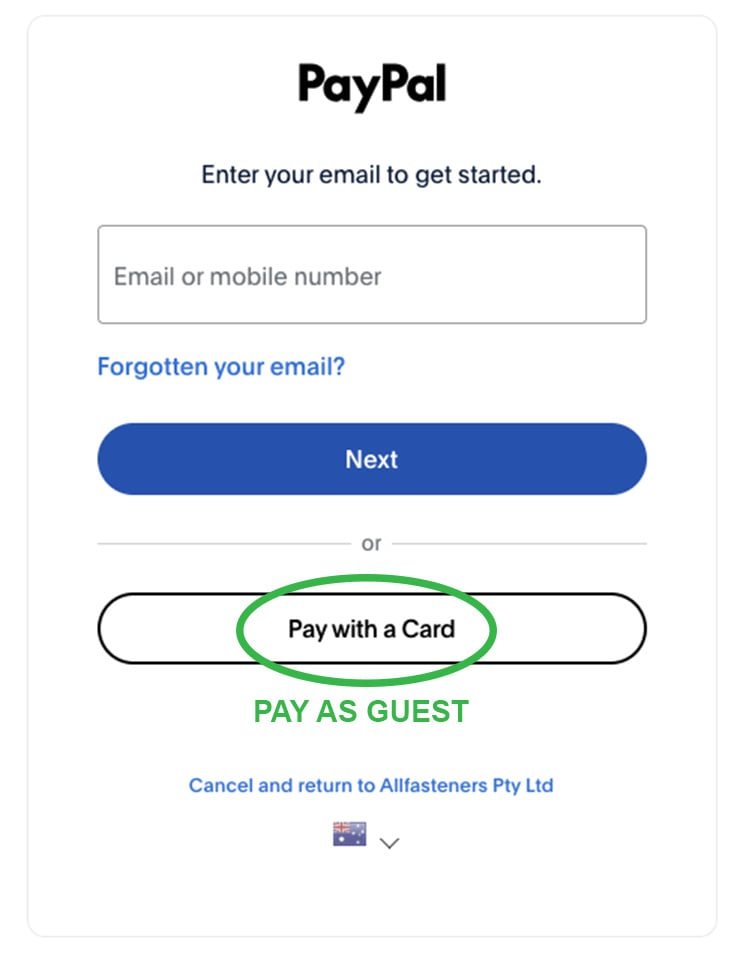
You'll see two options on this screen:
- Have a PayPal account? Enter your email or phone number and press Next to log in and pay — you can skip the remaining steps below.
- Paying as a guest? Click the white Pay with a Card button. No PayPal account or login is required.
4
Enter your email and card details
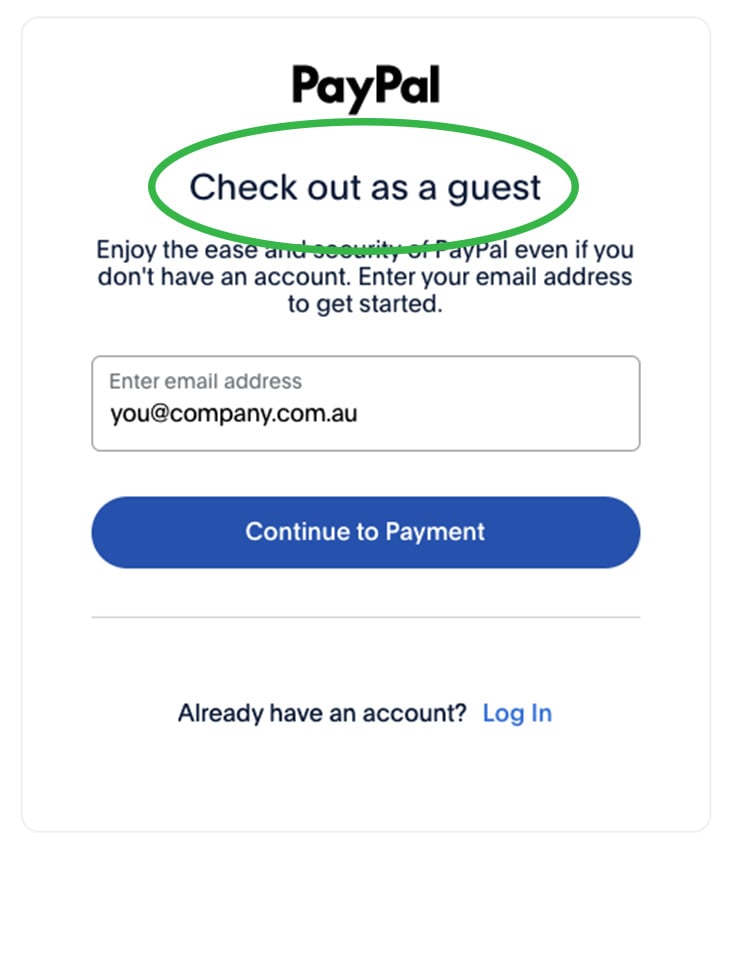
After pressing Pay with a Card, PayPal will first ask for your email address or phone number. This is PayPal's way of encouraging you to create an account — you are not required to do so. Enter your email and press Continue to Payment.
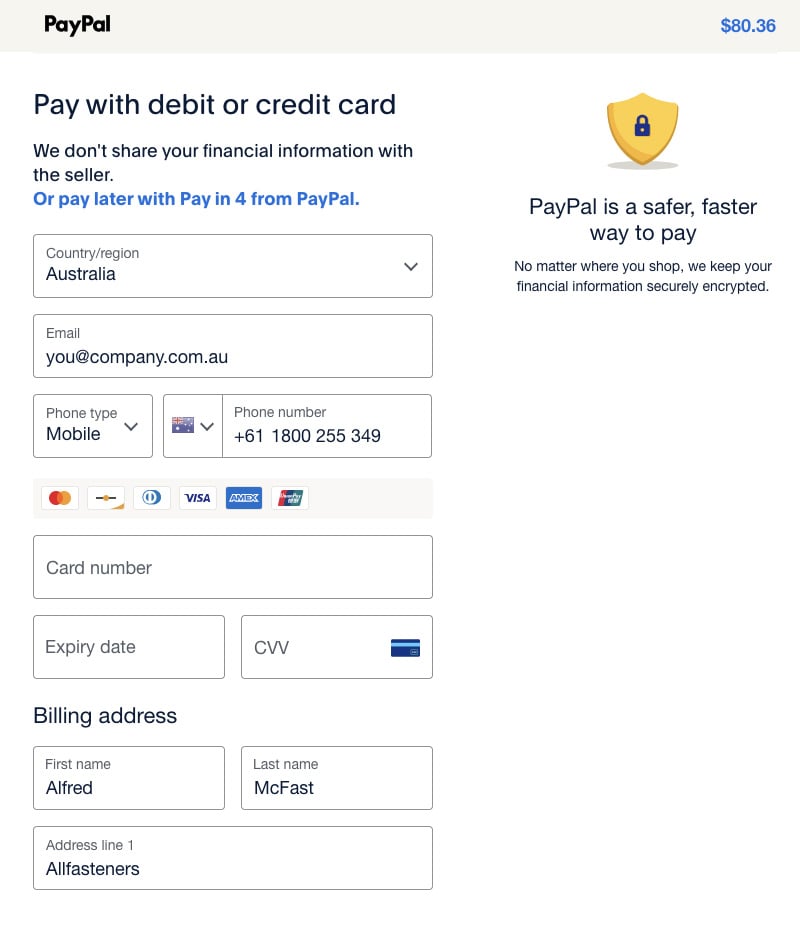
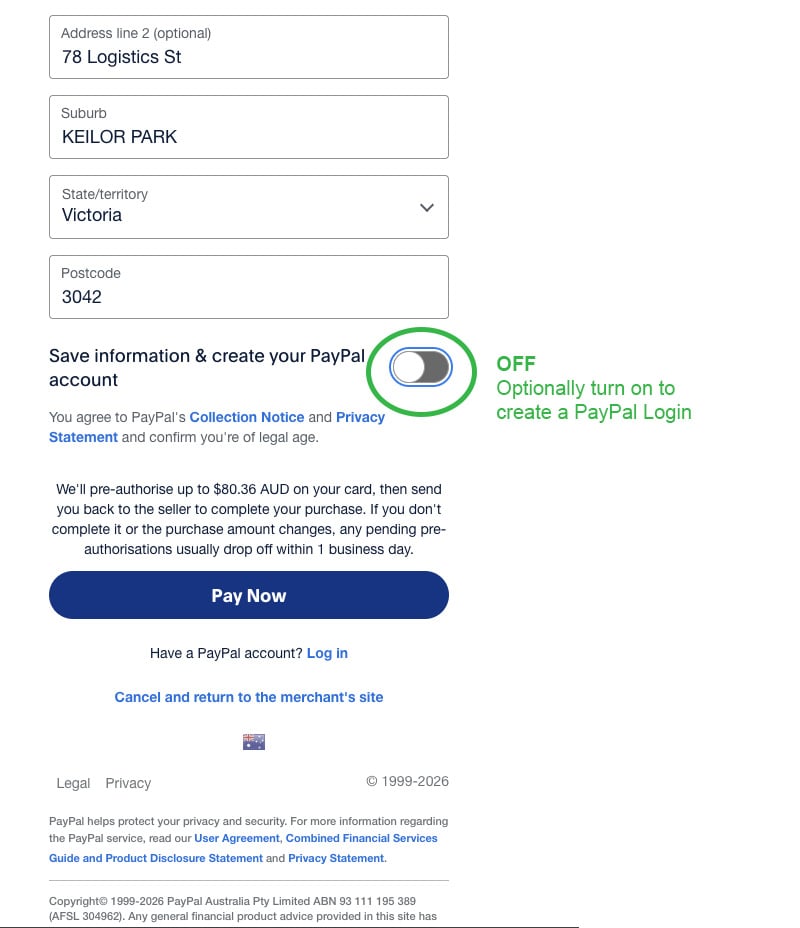
You'll then see a form to enter your card number, expiry date, CVV, and billing address. At the bottom of this page, PayPal may offer to save your details and create an account — this is optional. Simply toggle this off before proceeding if you'd prefer not to.
Allfasteners does not receive or store any of your card information — it is handled entirely by PayPal.
5
Confirm and pay
Review the order total and click Pay Now. PayPal processes your payment and immediately redirects you back to Allfasteners.
6
You're back — order confirmed
You'll land on the Allfasteners order confirmation page with your order number and a summary. A confirmation email will be sent to you shortly.
[ Screenshot — order confirmation page ]
Have questions about your order or payment? Our team is happy to help. Contact us at [email protected] or call us during business hours.